
Have you heard about Kindle Unlimited audiobooks but couldn’t quite believe that you can listen to Audible books as a Kindle Unlimited subscriber without any extra cost? “Read and Listen for free” books on Kindle Unlimited are really a thing!
And they’re an awesome thing. Here’s how to find them and start listening…
**The marked links and book covers on this page are affiliate links. If you use them to purchase something, I earn a fee at no additional cost for you. Disclosure**
What You Get with Kindle Unlimited Audiobooks
For $11.99/month, Kindle Unlimited includes about 10,000 audiobooks, and you don’t pay anything extra for the audio. These aren’t separate “audiobook-only” files, either. You get the same professional Audible narration you’d buy for $14.95+ on Audible.
Here’s what makes it great:
- Listen through the Audible app (KU is one more reason why it’s one of the best audiobook apps that I never uninstall)
- No Audible subscription required
- All the features you’d expect: sleep timer, narration speed, offline downloads
- Bonus access to Whispersync deals for audiobooks as cheap as $1.99 that you keep forever
Now let me show you exactly how to find and listen to these audiobooks in three simple steps.
Step 1: Find “Read and Listen for Free” Books
On Amazon, Kindle Unlimited audiobooks show a little headphones symbol next to the KU logo. The button will say “Read and Listen for Free” instead of just “Read for Free.”

Here’s the problem: Amazon doesn’t always provide a clear way to browse ONLY audiobooks in Kindle Unlimited. There’s currently no dedicated landing page linked from the Amazon homepage, and at times it’s been completely impossible to filter for just audio titles. You’d have to dig through millions of ebooks hoping to spot that headphone icon.
That’s where this link comes in:
Once you’re there, you can filter by your favorite genres to find exactly what you want.
I’ve saved this working link for years, and it’s currently the only reliable way I know of to see the full KU audiobook catalog with genre filtering. Bookmark it! Amazon doesn’t advertise this page or offer you another convenient way to just browse Kindle Unlimited audiobooks.
International note: Amazon marketplaces outside the US often have fewer “Listen for Free” audiobooks due to international publishing rights agreements. The US marketplace has the largest selection.
Step 2: Borrow the Book
When you find an audiobook you want, click the “Read and Listen for Free” button. Both the ebook and audiobook will be automatically added to your account, with the audio version showing up in your Audible library.
A few things to know about borrowing:
- Kindle Unlimited lets you borrow up to 20 titles at a time (ebook and audio count as one title)
- When you return the ebook, the audiobook also disappears from your Audible library
- You’re borrowing these, not buying them – they only stay while your KU subscription is active
- Amazon automatically prompts you to return something if you’ve hit the 20-title limit
Since you always borrow the ebook and the system considers the audio version just a bonus, the borrowing system is exactly the same whether you read the ebook or listen to the audiobook. You manage it all through your Amazon account.
Step 3: Open the Audible App and Start Listening
Here’s where it gets really convenient: Kindle Unlimited audiobooks appear in the regular Audible app. You don’t need a separate app or a special KU audiobook player.
Getting set up is simple:
- Download the free Audible app (if you don’t have it already)
- Log in with your Amazon email and password – the same credentials you use for Amazon (that’s important!)
- Your borrowed audiobook will be waiting in your Audible library
- Tap to download it and start listening
You don’t need an Audible subscription for this! The Audible app is free to use, and since Kindle Unlimited and Audible are both Amazon services, they talk to each other automatically. No new account needed, no payment information required.
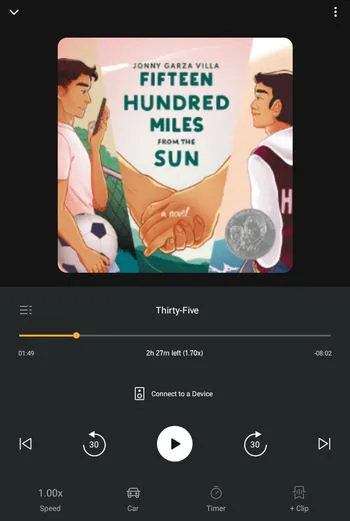
You’ll have access to all the features that make Audible such a popular app: sleep timer, adjustable narration speed, bookmarks, and offline listening. The experience is identical to listening to Audible books you bought outright.
Bonus Benefit: Whispersync Deals
Here’s something most Kindle Unlimited subscribers don’t know about: while browsing KU ebooks, you’ll find tens of thousands that offer audiobook upgrades for as little as $1.99.
These aren’t the “Read and Listen for Free” books, though. They are Audible books you BUY at a massive discount and keep forever, even after your Kindle Unlimited subscription ends.
How it works: When you’re looking at a KU ebook on Amazon, click the small grey arrow under the “Read for Free” button. You’ll see an option to “Add Audible narration for $X.XX”, the price usually ranges from $1.99 to $7.49. Toggle that on before clicking “Read for Free,” and you’ll own that audiobook permanently while only borrowing the ebook.
Want the complete guide to these deals? I have a full tutorial: How to Get Cheap Audiobooks with Amazon Whispersync
Is Kindle Unlimited Worth It for Audiobooks?
If you’re wondering whether KU makes sense for your audiobook habit, here’s my take:
Kindle Unlimited audiobooks excel at:
- Romance, thriller, and fantasy genres (tons of selection)
- Indie authors published through Amazon’s imprints
- Series binge-listening (many complete series available)
- Discovering new narrators and authors without financial risk
- Perfect for audiobook newcomers figuring out their taste
What you won’t find much of:
- Latest mainstream bestsellers from big publishers
- Audio-first productions with multiple narrators (those are for Audible Plus)
- Big-name traditional publishing releases
Bottom line: My math says, if you listen to 2+ audiobooks per month and enjoy indie authors, romance, thriller, and fantasy, Kindle Unlimited is absolutely worth $11.99/month.
Want the detailed comparison? Read my full analysis: Kindle Unlimited vs Audible: Same App, Completely Different Books
Quick Answers to Common Questions
Do I need an Audible subscription? No! You only need the free Audible app and your Amazon login.
What happens when I cancel Kindle Unlimited? All borrowed audiobooks disappear from your Audible library. However, any Whispersync audiobooks you purchased will stay in your library forever.
Do authors get paid? Yes! Authors are paid when you read or listen to their book for the first time in KU. If you love a book and want to re-read it, consider buying it to continue supporting that author.
Ready to Start Listening?
The best way to try Kindle Unlimited audiobooks is with a free trial month**. You can binge-listen to as many “Read and Listen for Free” audiobooks as you want during that time. Plus, you can grab Whispersync deals that you get to keep and that you can listen to after your trial ends.
And here are some of my favorite KU audiobooks to get you started:
And new “Read and Listen for free” releases:
- New Audiobooks in Kindle Unlimited (monthly curated list)
Happy listening!

Eline Blackman (pronouns: she/they) fell in love with books as a child – with being read to and reading herself. 11 years ago, she bought her first Audible book. It was love at first listen! An average of 200 audiobooks per year has become the new normal, and you will rarely see Eline without a wireless earbud. Romance and Fantasy are the go-to genres for this audiobook fan.
I have so many audio books I need to listen to. Love your guide
Awesome, I hope you’ll enjoy them 🙂
I just listen to my first audiobook and I’m liking how I can listen to the books even with kids around. It’s a lot easier to listen than to read. I will have to check out the kindle unlimited membership and try out your tips!
Thank you for stopping by! Yeah, it’s so great how the chores are much more fun, too.
Thank you for sharing this! This has been so helpful. I have both KU and Audible.
I’m so happy you found this useful! It’s really surprising how many great audiobooks have those audio deals. It’s always worth checking on Amazon first before buying an audiobook for an Audible credit.